


Recently I was working on a jQuery countdown timer. A simple timer that will read hour and minute from the html tag and display it the page being loaded. It is easy to do with jQuery. jQuery library will be used to get this counter implemented.
Step 1:
First off we have to create an HTML markup to the display the clock. We will use a simple counter displaying only few digits. You can customize it later on as you want. Here is the HTML markup i’ve used
<div class="timer-container" id="#run-the-timer">
<span class="minute">01</span>:<span class="second">00</span>

<span class="timeout_message_show" style="display:none;">We are Sorry, your time is up !</span>

</div>
You can see that I have given a sample input in the timer for 1 minute, change the value as you like. When the timer ends a message will be displayed to the user.
Step 2:
Now i’ve added jQuery code for the timer. Make sure to call the jQuery.js library to get this code running
window.onload = function () {

var fragmentTime;

jQuery('.timeout_message_show').hide();

var minutes = jQuery('span.minute').text();

var seconds = jQuery('span.second').text();

minutes = parseInt(minutes);

seconds = parseInt(seconds);

if (isNaN(minutes)) {

minutes = 00;

}

if (isNaN(seconds)) {

seconds = 00;

}

if (minutes == 60) {

minutes = 59;

}

if (seconds == 60) {

seconds = 59;

}

fragmentTime = (60 * minutes) + (seconds);

displayMinute = document.querySelector('span.minute');

displaySecond = document.querySelector('span.second');

startTimer(fragmentTime, displayMinute, displaySecond);

};
The code mentioned above will run whenever the page loads. It will first take the minutes and seconds values from the HTML markup and convert it to integer. If there is no value given the minutes and seconds’ value will automatically be 00 and for a direct 60 input it will start counting the minute or second from 59. Then it will convert the time value into seconds and pass it to the startTimer() function where the main counter operation will occur.
Step 3:
The start timer function gets the value of the total duration, the minute and the second value. From the total timer value, minutes and hours are extracted. If minute or hour value is less than 10 it adds a 0 before the number for beautification. Finally the value is shown in minutes and seconds div at an interval of 1 second. The loop goes on until the timer value goes to minus. When the timer value goes to minus we make it zero , end the loop and display the message from the HTML markup in an alert box.
function startTimer(duration, displayMinute, displaySecond) {

var timer = duration,

displayMinute, displaySecond;

var timeIntervalID = setInterval(function () {

minutes = parseInt(timer / 60, 10)

seconds = parseInt(timer % 60, 10);

minutes = minutes < 10 ? "0" + minutes : minutes;

seconds = seconds < 10 ? "0" + seconds : seconds;

displayMinute.textContent = minutes;

displaySecond.textContent = seconds;

if (--timer < 0) {

timer = 0;

if (timer == 0) {

clearInterval(timeIntervalID);

alert(jQuery('.timeout_message_show').text());

}

}

}, 1000);

}
The output will look like as follows
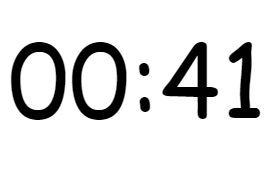
This is pretty basic but still you might find it helpful, thank you !
Step into the future with CyberNetikz, where we craft tomorrow’s tech innovations with today’s coding artistry Mega Medusa Casino.