

Here are two main approaches to create a D8 theme.
D8 have changes theme file structure:
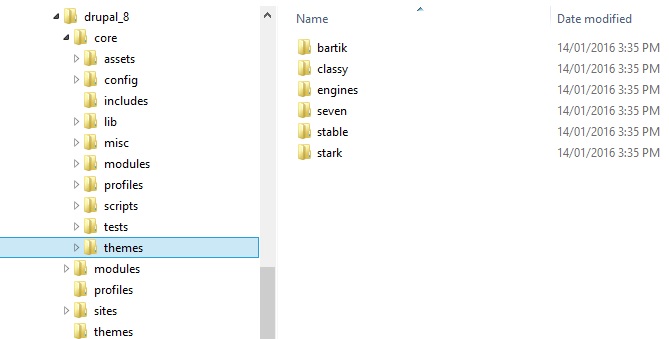
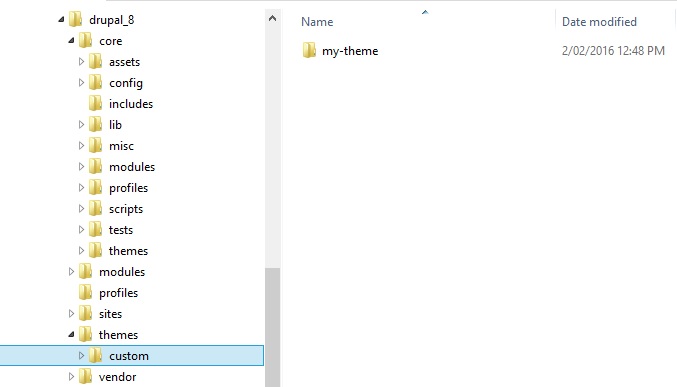
Good practice:
Drupal 8 changed .info to .info.yml
Create new theme:
Install a fresh copy of Drupal 8. Drupal 8 required OPcache. To enable it for localhost, just open “php.ini”. Search for “opcache.enable”. Enable it and add below line top of this line.
zend_extension=php_opcache.dll.
Final code –
zend_extension=php_opcache.dll
opcache.enable=1
Now go to you-project-name/themes create a folder named custom. Create you theme folder into custom folder. Suppose my D8 theme name my-theme. So, my theme directory will be – my-project-name/theme/custom/my-theme.
Drupal 8 theme requires two .yml file.
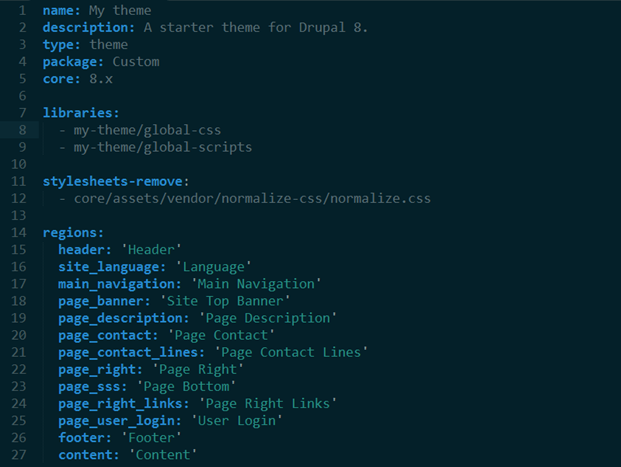
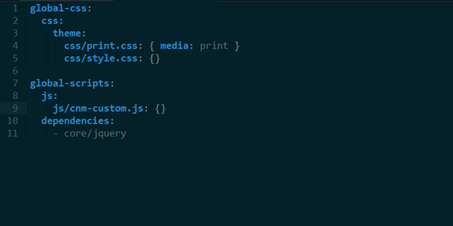
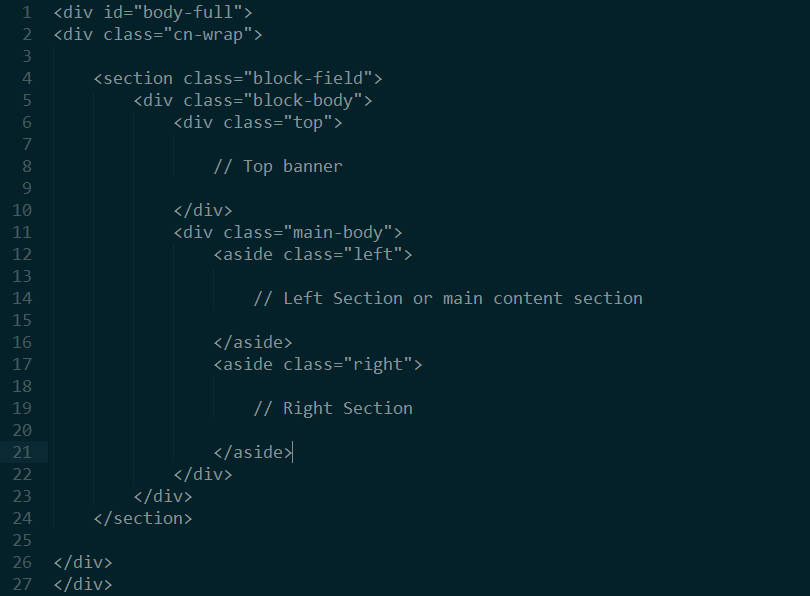
Now create a page.html.twig file and past you HTML here. See below image –
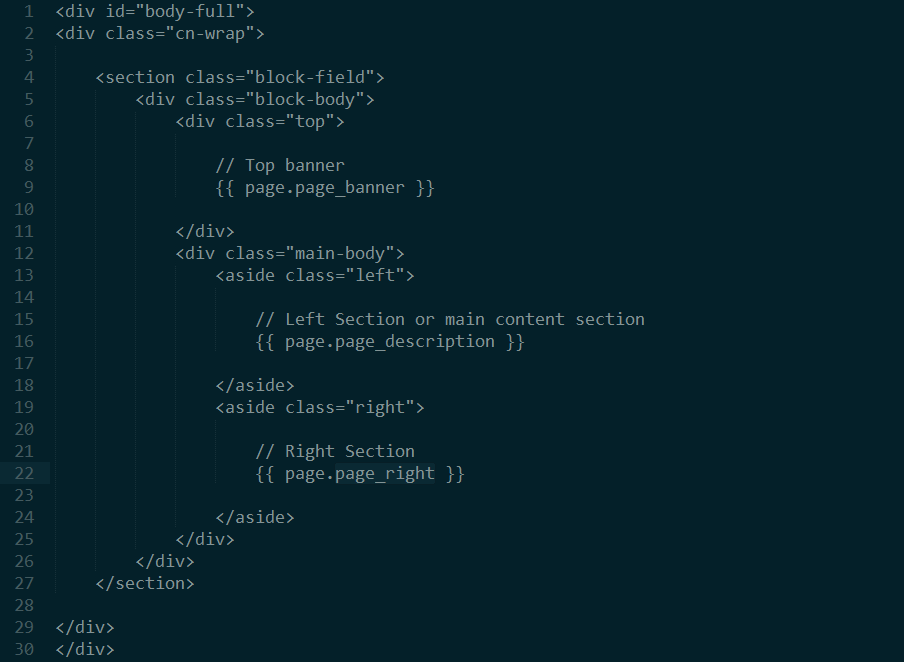
Now place your blocks to commented regions.
Step into the future with CyberNetikz, where we craft tomorrow’s tech innovations with today’s coding artistry Mega Medusa Casino.